Widget gallery
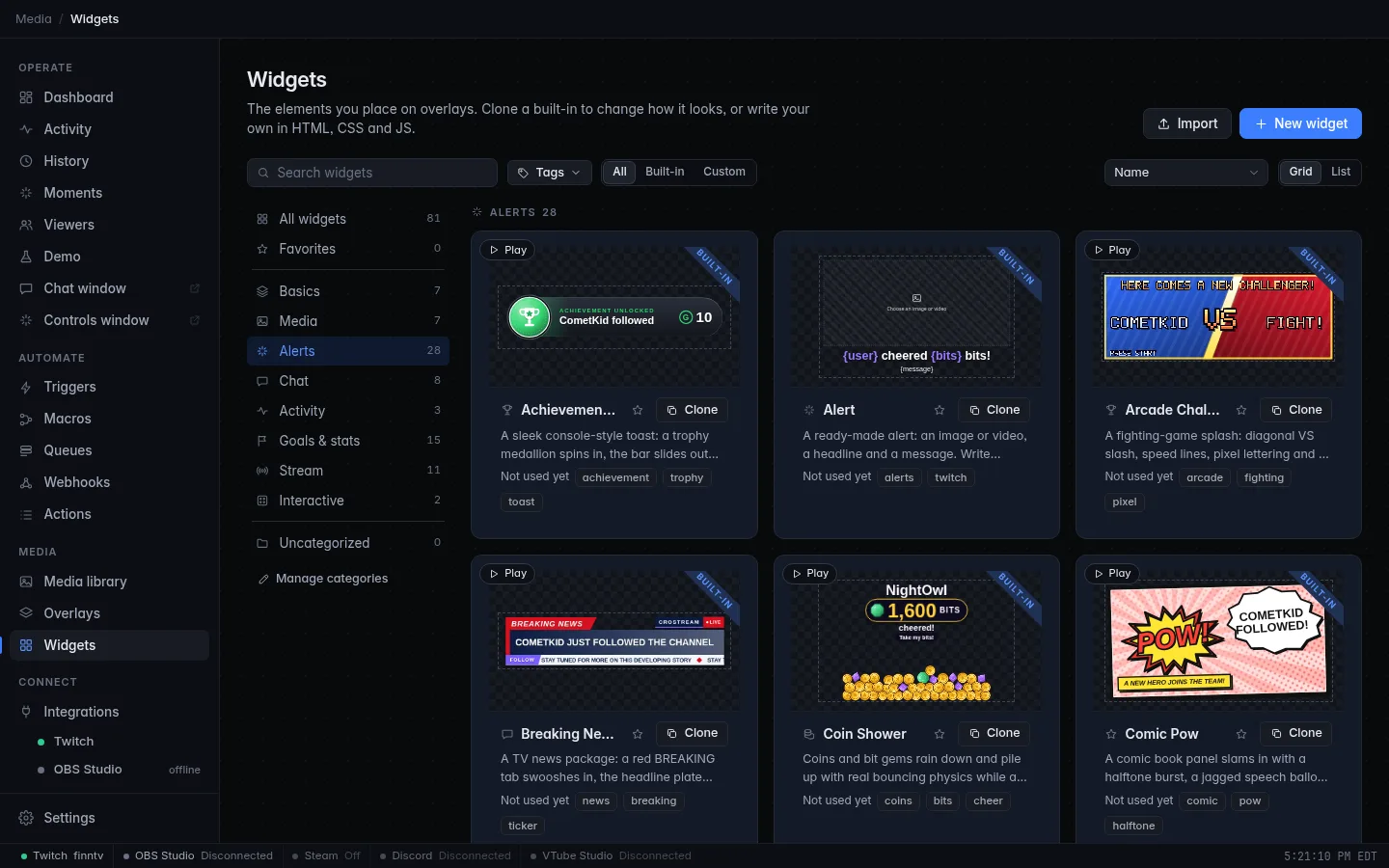
CroStream's built-in widgets include a gallery of 54 polished, animated ones: alerts that explode, goal bars that celebrate, chat that looks like a hacker terminal, a "Starting soon" scene. You add them like any other widget, and there's nothing to design first.
Gallery widgets carry a BUILT-IN ribbon and sit in the usual categories next to the other built-ins. They are read-only and update with the app. To change one, clone it.
What's in it
Alerts
17 animated alerts. Each one handles follows, subs, gifts, cheers, raids and channel point rewards, and shows the event's real values: the name, the amount, the months, the viewer count, the message or the reward.
| Widget | What it does |
|---|---|
| Neon Burst | A neon sign flickers to life in a burst of light streaks and sparks, then powers down. |
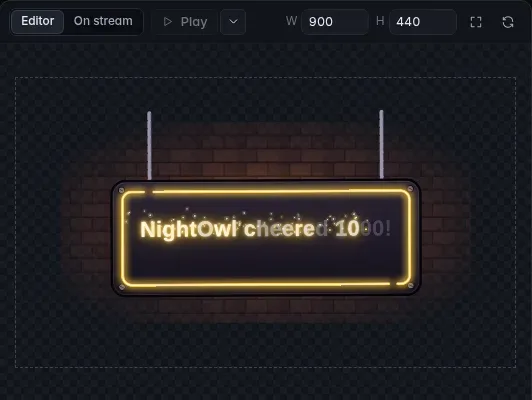
| Neon Sign | A hanging neon tube sign buzzes on letter by letter, swings on its chains and spills glow onto a brick wall. |
| Glitch Terminal | A cyberpunk terminal with RGB split and scanlines; the username decrypts from random glyphs. |
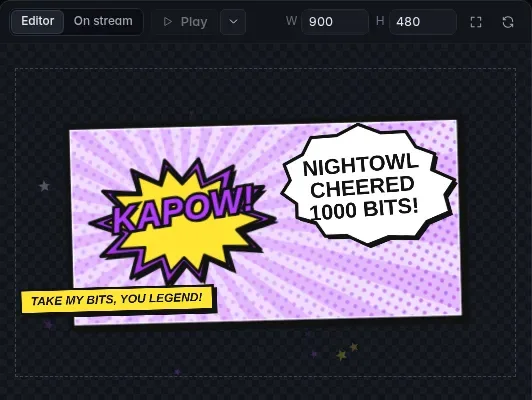
| Comic Pow | A comic book panel with a halftone burst, a jagged speech balloon and a POW or KAPOW per event. |
| Arcade Challenger | A fighting-game splash with a diagonal VS slash and a flashing HERE COMES A NEW CHALLENGER. |
| Level Up | A JRPG LEVEL UP: golden light pillar, bouncing letters and a stat window with counting bonuses. |
| Achievement Unlocked | A console-style toast: a trophy medallion spins in and the gamerscore counts up. |
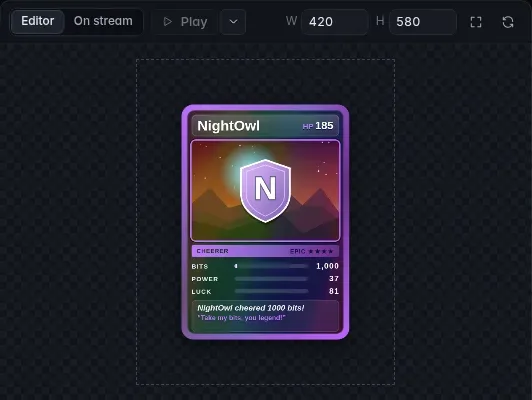
| Trading Card | A holographic trading card of the viewer flips in with a foil sweep; rarity runs from Common to Legendary by event and amount. |
| Slot Machine | Three reels spin and land on a result tied to the event, with jackpots for big cheers and a coin spill. |
| Rocket Raid | A 3-2-1 countdown and a launch; a rocket with the raider's name blasts in while an odometer rolls up the viewer count. |
| Confetti Cannon | Two cannons fire paper confetti while a ribbon banner drops in; the amount scales the confetti. |
| Fireworks Finale | Shells climb and burst, then a golden burst writes the user's name in sparkles. Bigger events launch more shells. |
| Gift Box | A present drops in and pops open; one little gift per gifted sub bursts out and bounces around. |
| Coin Shower | Coins and bit gems rain down and pile up with bouncing physics while a counter ticks up. |
| Thunderstorm | Clouds, rain and warning bolts, then a branching mega-bolt burns the name onto the screen. |
| Typewriter Terminal | A retro CRT powers on and types the alert out with key clicks, in green, amber or ice phosphor. |
| Breaking News | A TV news package: a BREAKING tab, a headline plate, a ticker crawling the viewer's message and a LIVE bug. |
Alert themes
One theme widget styles every kind of event in a matching look, and gives each its own icon and entrance. Besides follows, subs, gifts, cheers, raids and rewards, themes also handle hype trains.
| Theme | Look |
|---|---|
| Neon Grid Set | Synthwave: neon tube icons over a glowing grid floor. |
| Retro Pixel Set | 8-bit arcade: pixel sprites, a bitmap font typed out letter by letter and chiptune jingles. |
| Minimal Glass Set | Calm and clean: frosted glass cards over soft color glows and thin line icons. |
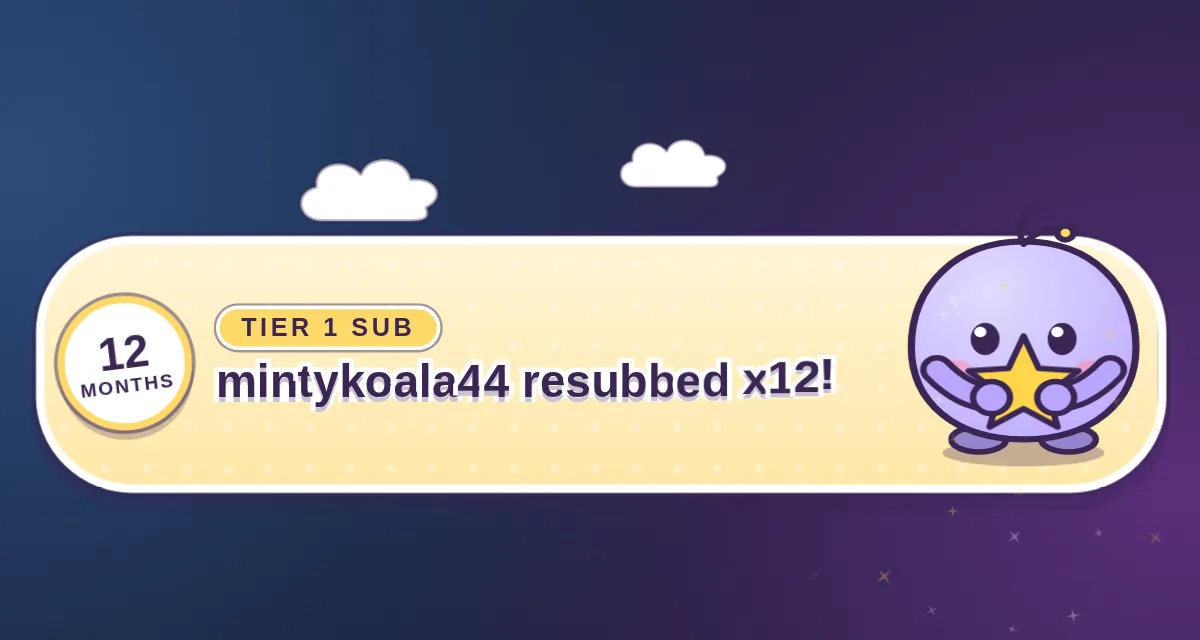
| Cozy Pastel Set | Kawaii: a bouncing blob mascot that waves, hugs gifts and rides rockets. |
| Esports Broadcast Set | Slanted scoreboard plates, team-color blocks, speed lines and screen shake. |
| Cosmic Space Set | Warp-speed starfield intros, an astronaut, a ringed planet, a UFO and a supernova. |
| Paper Cutout Set | Handmade stop-motion: torn construction paper, tape and scissor-cut letter tiles. |
| Vaporwave Set | Striped sunset, chrome type, palms and VHS glitches. |
Goals
11 widgets that read a counter and show progress toward a goal. When the counter crosses the goal while you watch, they celebrate once. They don't celebrate on the first draw, and they're ready to celebrate again if the count drops and climbs back.
| Widget | What it does |
|---|---|
| Liquid Bottle | A bottle fills with rippling liquid and pops its cork at the goal. |
| Boss Health Bar | Every increase lands a hit that drains the boss's health; reaching the goal defeats the boss in an explosion. |
| Fundraising Thermometer | Mercury rises with milestone ticks and boils over in steam at the goal. |
| Race to the Finish | A race car (or runner) drives toward a checkered finish line, and the crowd goes wild. |
| Charging Battery | Cells light up one by one; sparks fly when it's fully charged. |
| Ring Gauge | A gradient ring or sweeping speedometer needle fills and bursts at the goal. |
| Mountain Climb | A climber follows the switchbacks and plants a flag on the summit. |
| Pixel Hearts | Heart containers fill quarter by quarter, with a sparkle for every completed heart. |
| Rocket Fuel | A fuel gauge fills, the engines ignite in the final stretch and the rocket lifts off at the goal. |
| Stacked Coins | Coins drop and stack into a tower, then burst into an overflowing treasure chest. |
| Growing Plant | A seed sprouts, grows and blooms, then bursts into petals and butterflies. |
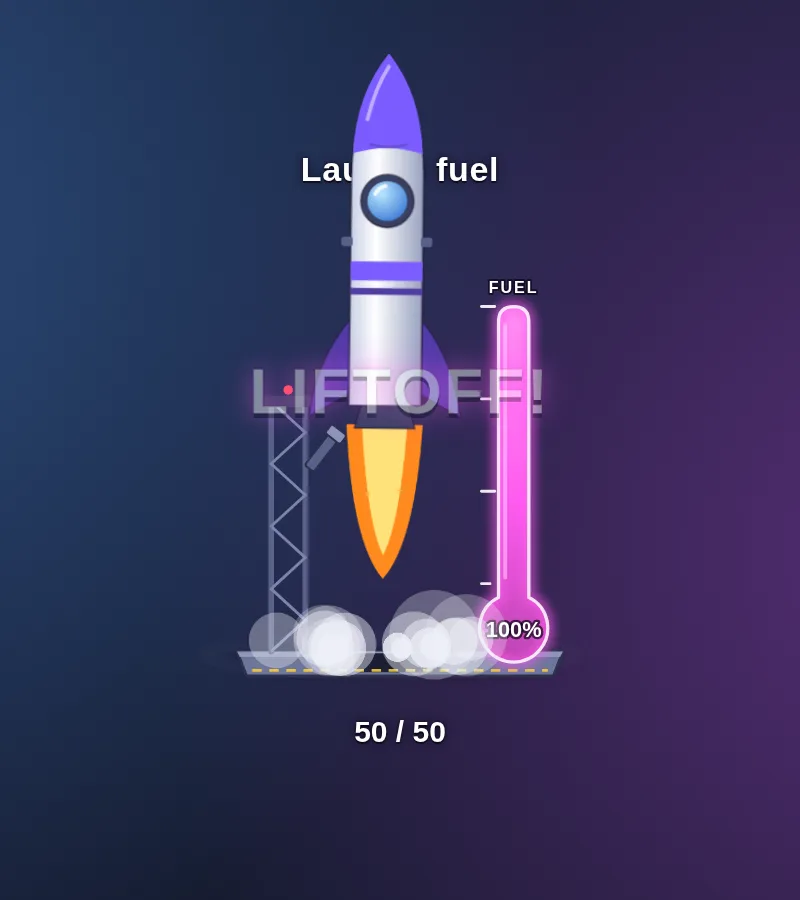
To drive a goal, set its Counter name (and Goal) in the inspector,
then change that counter with the Change a counter action, for example
+1 on every new sub. See Macros.
Chat styles
Six ways to show chat, each with emotes and a color for every name.
| Widget | What it does |
|---|---|
| Chat Bubbles | Rounded speech bubbles that pop in, stack smoothly and fade away. |
| RPG Dialogue | A JRPG dialogue box; each message types out letter by letter under a name plate. |
| Hacker Terminal | A glowing CRT terminal; every message is typed at a user@stream prompt. |
| Floating Balloons | Each message is a glossy balloon that floats up and fades. Made for tall side panels. |
| Sticky Notes | Tilted sticky notes pinned to a corkboard; the oldest peels off when it's full. |
| Neon Chat | Dark synthwave chat with names that glow like neon tubes. |
Scenes
Full-screen layouts for the moments between the action.
| Widget | What it does |
|---|---|
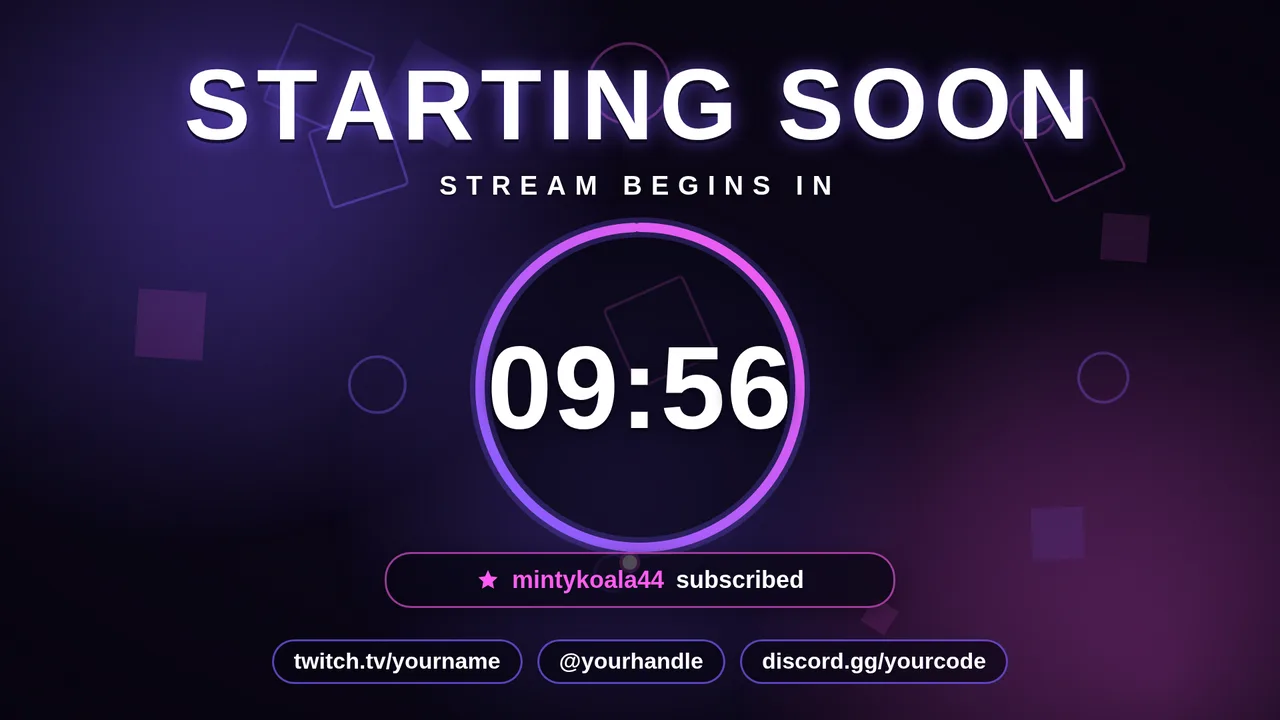
| Starting Soon | Drifting gradient light, a countdown ring, a ticker of your newest supporters and your social handles. |
| Be Right Back Mug | A steaming, blinking coffee mug with rotating messages and an optional mini chat. |
| Rolling Credits | Film-style end-of-stream credits that roll up your followers, subscribers, gifters, cheerers, raiders and chatters. |
| Intermission Lounge | A spinning record, a "now playing" line and a progress bar to when you're back. |
| Please Stand By | A retro TV test pattern with color bars and humorous captions, for when the stream hits a snag. |
| Just Chatting Frame | A glowing webcam window, a side panel with your title, category, newest follower and sub, and your socials. |
Backgrounds and frames
| Widget | What it does |
|---|---|
| Gradient Waves | A full-screen background of slowly flowing aurora ribbons. |
| Starfield | A parallax night sky with the odd shooting star, drifting or flying through warp. |
| Bokeh Lights | Soft out-of-focus lights and dust motes floating up through the frame. |
| RGB Webcam Frame | A webcam frame with a flowing RGB gradient border and an optional name tag. The middle is transparent. |
| Neon Webcam Frame | A neon-tube webcam frame that flickers on, with a breathing halo and a flare when an event arrives. |
| Animated Lower Third | A name and title bar that wipes in and out on a repeat you choose, in clean, bold or gaming looks. |
The backgrounds are in the Media category, the frames in Basics and the lower third in Stream.
Use an alert, start to finish
- Open the Add picker on an overlay (see Add elements) and place the alert widget, or go straight to step 3. It's hidden until an alert arrives.
- Click the widget on the canvas and set its fields in the inspector: the headline for each event, colors, sizes and sounds.
- Click Alerts → Add alert (or Add → Set up an alert…). In step 1, pick the event. In step 2, choose My alert widget and pick the widget from the list, which includes every gallery alert, theme and your own alert widgets.
- Finish the wizard. It creates the trigger and the macro for you; see Alerts.
- Click Test to see it play with sample values. Test on a scene your viewers can't see, or before you go live.
You can also point a trigger's Show an alert step at the widget by hand. See The Show an alert action.
A theme is one widget that styles every kind of event, so a single theme element can serve all your alerts.
Sounds
The alerts make their own sounds, synthesized by the widget. There are no sound files to find or manage. In the inspector's Sound section, you can:
- choose a sound for each event, or None,
- change the volume,
- pick your own sound from the media library. It replaces the built-in ones.
If the alert's sound is set to play on the PC, it plays through your computer instead, and the widget itself is muted. See Alerts.
Preview and test
- Hover an alert card on the Widgets page to see it animate, silently. The Play button on the card does the same.
- In the widget editor, Play plays a test alert with sound. The menu beside it picks which event to play.
- Test in the Alerts panel plays it on the real overlay.
Clone to edit
Gallery widgets are read-only. Click Clone on a card, or Clone to edit in the widget editor, to make your own editable copy in your library. You can change its HTML, CSS and JavaScript; see Write your own widgets. Your copy keeps everything that makes it an alert (its events, sample values, suggested hold and sound field), so the widget editor's Play button and the Add alert wizard work with it the same way. Your copy doesn't change when the app updates.
Each gallery widget is a full custom widget, so cloning one is also the best way to learn how alerts are written.