 Twitch · OBS · Discord
Never miss the moment.
CroStream catches it for you.
Twitch · OBS · Discord
Never miss the moment.
CroStream catches it for you.
CroStream runs on your own PC and keeps watch over your stream: chat, channel points, raids, follows and subs. The instant something happens, it handles it for you, so you can stay in the moment with your community. Set it up once, no code needed.
- A raid landsShoutout and a thank-you
- Points redeemedThe scene switches
- New followerAn alert on screen
!clipin chatA clip, posted in chat
01 · Why CroStream
Your stream shouldn't need five tabs and a free hand.
Clipping, scene switches, shoutouts and alerts are moments. When they live in a bot in one tab, an alert service in another and OBS hotkeys you have to remember, the moment is usually over by the time you get there.
Without it
- You do it by hand, mid-game. Alt-tab to clip, hunt for the scene, type the shoutout, and hope chat didn't move on.
- Every tool knows half the story. The chat bot can't touch OBS, OBS can't see channel points, and the alerts can't do either.
- Your setup lives in other people's dashboards. Commands, overlays and viewer data are spread across services you don't run.
With CroStream
- Chat and channel points pull the levers. A command, a redemption, a raid or a hotkey runs a macro, and the macro does the work.
- One app sees everything. Twitch events, OBS, overlays, sounds and viewer points meet in one place, so one macro can use all of them.
- It runs on your computer. Your config, viewer records and history are files you own, with no CroStream account in between.
Already happy with your bot? Keep it. CroStream covers some of the same ground (chat commands, channel point reactions, alerts, overlays and points), and it can import points from a StreamElements or Streamlabs export when you're ready to move.
02 · How it works
When this happens, run this macro.
Every reaction is a trigger and a macro. You build both in the app, test them with one click, and let them run while you stream.
- 01 · Listen Something happens Chat, channel points, follows, bits, raids, hype trains, a hotkey
- 02 · Match A trigger fires With the roles, cooldowns and queue you set
- 03 · Run A macro runs Steps that run in order, with pauses and choices
- 04 · Act Your stream reacts OBS, Twitch, overlays, sounds, Discord
Built to be trusted live
A macro that misfires on stream is worse than no macro. CroStream gives you the tools to know it works before chat finds out.
-
Test with one click
Every trigger has a Test button that runs its macro with a sample event, without waiting for chat or spending anyone's points.
-
Queues that keep the pace
A flood of redemptions waits in a queue and plays one at a time, at the pace you choose, and can keep its place across a restart.
-
Points come back when it fails
A redemption is fulfilled when its run succeeds and canceled, with the points refunded, when it doesn't.
-
See what every run did
The live activity feed shows each event and each macro run, down to which branch it took.
Someone types !clip in chat
- Save the replayThe last moments of your stream, saved by OBSOBS
- Create a clipA Twitch clip of the same momentTwitch
- Post the link in chatWith the viewer's name and the clipTwitch
CroStream @mod_owl clipped it! clips.twitch.tv/BraveOwl
No code: you pick the trigger and the steps from lists in the app. This one comes ready to use. Build your own in five minutes
03 · Features
Everything between your chat and your scene
-
Triggers and macros
Chat commands, channel point redemptions, follows, bits, subs, raids, hype trains and timers, each running a macro you build step by step, with roles and cooldowns.
Triggers and macros -
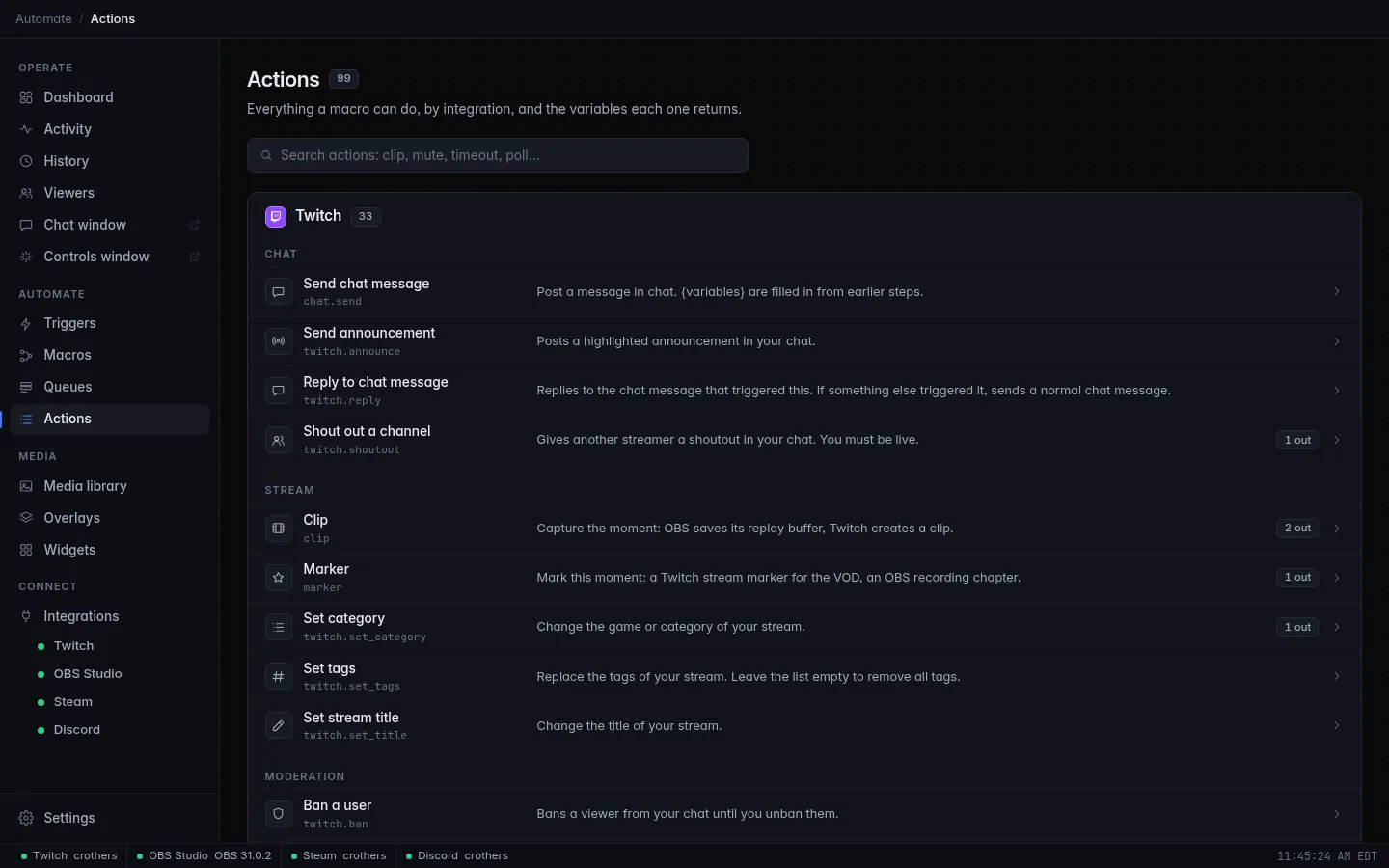
Nearly a hundred actions
Scenes, sources, filters and the replay buffer in OBS; clips, polls, predictions, ads, raids, shoutouts and moderation on Twitch; and steps pass their outputs on.
Actions and steps -
Overlays and alerts
Layered 16:9 or 9:16 scenes from 720p to 4K with alerts, timers, leaderboards, tickers and an emote wall. Add to OBS creates the browser source for you.
Overlays -
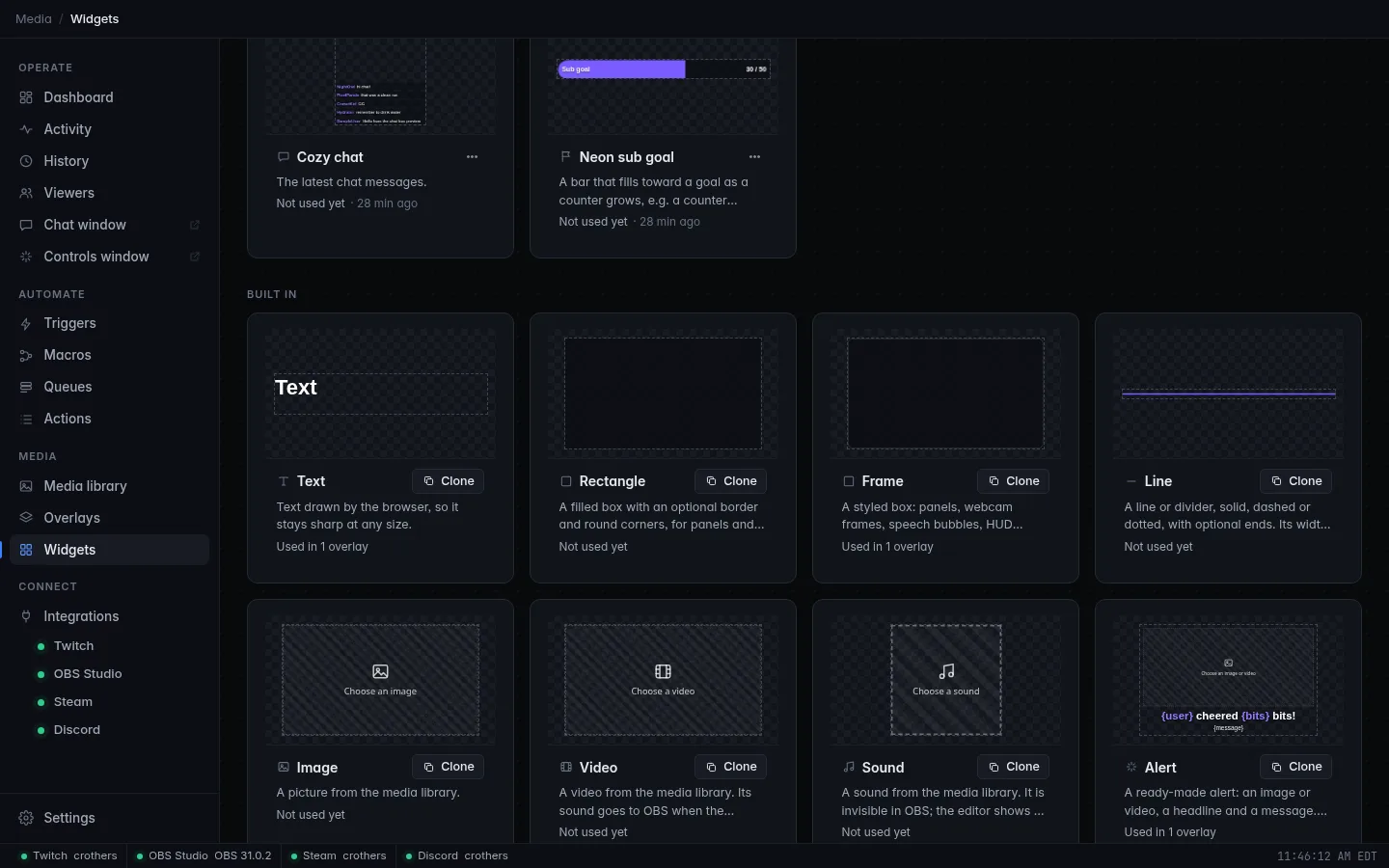
Widgets
Start from one of the 27 built-ins and make it look like your channel, or add one a friend shared with you as a single file.
Widgets -
Media library
The images, sounds, videos and fonts you use on stream in one place, with folders, tags, previews and a trash that empties itself.
Media library -
Viewers and points
A record for every viewer: watch time, chat, bits, subs and a points balance you control, for
Viewers and points!points, leaderboards and rewards. -
History that remembers
Every follow, sub, cheer, raid and redemption with totals and top supporters, a searchable chat log, kept 90 days by default.
History -
Global hotkeys
Press a key combination from any app and run a macro: be right back, mute, scene swap, replay.
Run a macro from a hotkey -
No spare screen? No problem
Run CroStream in the background on your streaming PC and control it from a browser on your laptop or tablet.
Browser mode
04 · A look inside
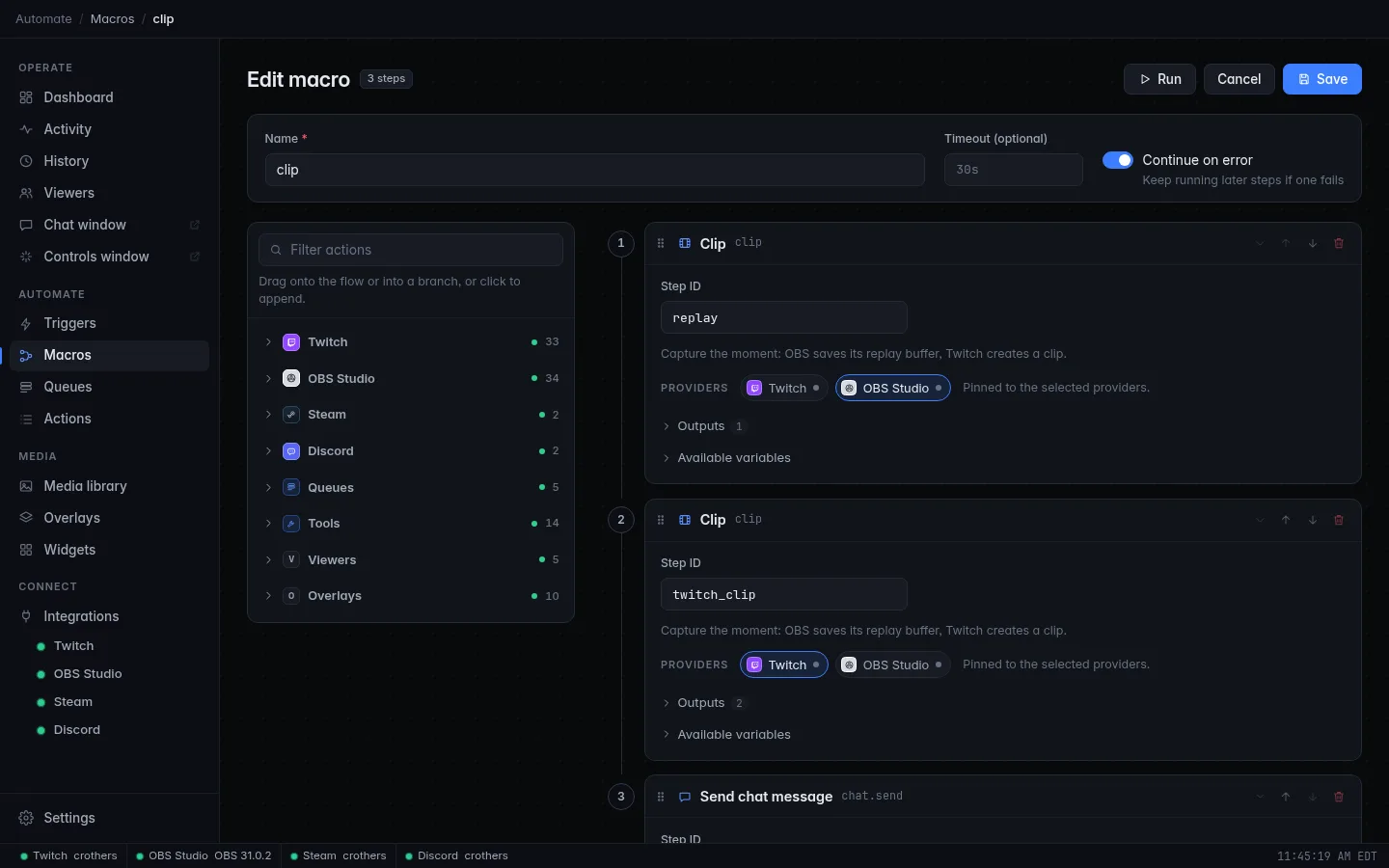
The app, as it is today
Real screens from the current build, running with a fresh config and nothing connected.
05 · Local by design
Your stream data stays with you.
No CroStream account, no telemetry and no server of ours in between. Here's exactly what it talks to, and where the edges are.
Files you own
Settings, secrets, viewer records, history and the media library are files in folders on your computer. Back them up, move them to a new PC, or delete them.
Where files are keptWhat it connects to
- Twitch, to log in, read events and run Twitch actions.
- OBS, through its built-in remote control, and the Discord app on your computer.
- Font services, only when you browse fonts.
- Anywhere you tell it to send something, like a Discord channel.
Honest limits
- Pre-release: there is no public download yet.
- Browser mode has no login; keep it on a network you trust.
- Twitch logins can't be refreshed, so you log in again when one expires.
06 · Get started
From install to your first clip in three steps
A Twitch accountCroStream logs in as the broadcaster, with its own registered app.
OBS 28 or newerIts remote control is built in from OBS 28.
The replay bufferOn and started, for the clip action.
A display, or notNo screen? Run it in browser mode.
-
Turn on OBS's remote control. In OBS, open Tools → WebSocket Server Settings, turn it on and note the password. Then turn on and start the replay buffer under Settings → Output → Replay Buffer.
-
Log in and connect. Start CroStream, click Login and approve the Twitch page that opens. On the OBS page, enter the host, port and password and click Connect.
-
Type
!clipin your chat. The default setup already has it. Watch the Dashboard feed while it works:- you !clip
- CroStream @you clipped it! clips.twitch.tv/…
That's the whole loop. Your first chat command builds one of your own from scratch.
07 · FAQ
Questions you're probably asking
Is CroStream free?
That hasn't been decided yet, and CroStream isn't publicly released. The download page will say when it is.
Does it replace a bot like StreamElements?
It covers some of the same ground: chat commands, channel point reactions, alerts, overlays and a points balance. It isn't a hosted service: it runs on your computer. You can import points from a StreamElements or Streamlabs export. Import and export
Do I need my own Twitch application?
No. CroStream logs in with its own registered application, so there is nothing to configure. Logging in to Twitch
Can it run on a machine with no display?
Yes. Browser mode runs CroStream without a window and serves the UI to a browser. Global hotkeys need a desktop, so they don't work there. Browser mode
Can I share my macros and triggers?
Yes. Export saves the ones you pick to a file you can send to a friend, without your passwords, and imported triggers start turned off. Export
Can I style the overlays myself?
Yes. Pick from templates, themes, text effects and frames in the overlay editor, no design skills needed. If you know CSS, you can go further. Overlays