Documentation
Everything CroStream can do, and how to use it. The docs are written for streamers: no programming needed, unless you want to go there.
New here? Start with Getting started. It
takes you from download to a working !clip command in about fifteen
minutes. For step-by-step projects, such as a channel point scene switch
or alerts on stream, see the tutorials.
Getting started
-
Install CroStream
What you need, and installing on Windows, macOS or Linux.
-
Log in to Twitch
One click, what CroStream asks for, and why logins expire.
-
Connect OBS
Turn on OBS's WebSocket server and the replay buffer.
-
First steps
Try
!clip, check your connections and pick what to build next.
The app
-
The window
The sidebar, the status bar, the tray, menus and shortcuts.
-
Chat and Controls windows
Chat, moderation, scenes and pinned macros in small windows.
-
Desktop behaviour
Close to the tray, start at login, and notifications.
-
Settings
Every panel: history, backups, export and import, updates.
Running your stream
-
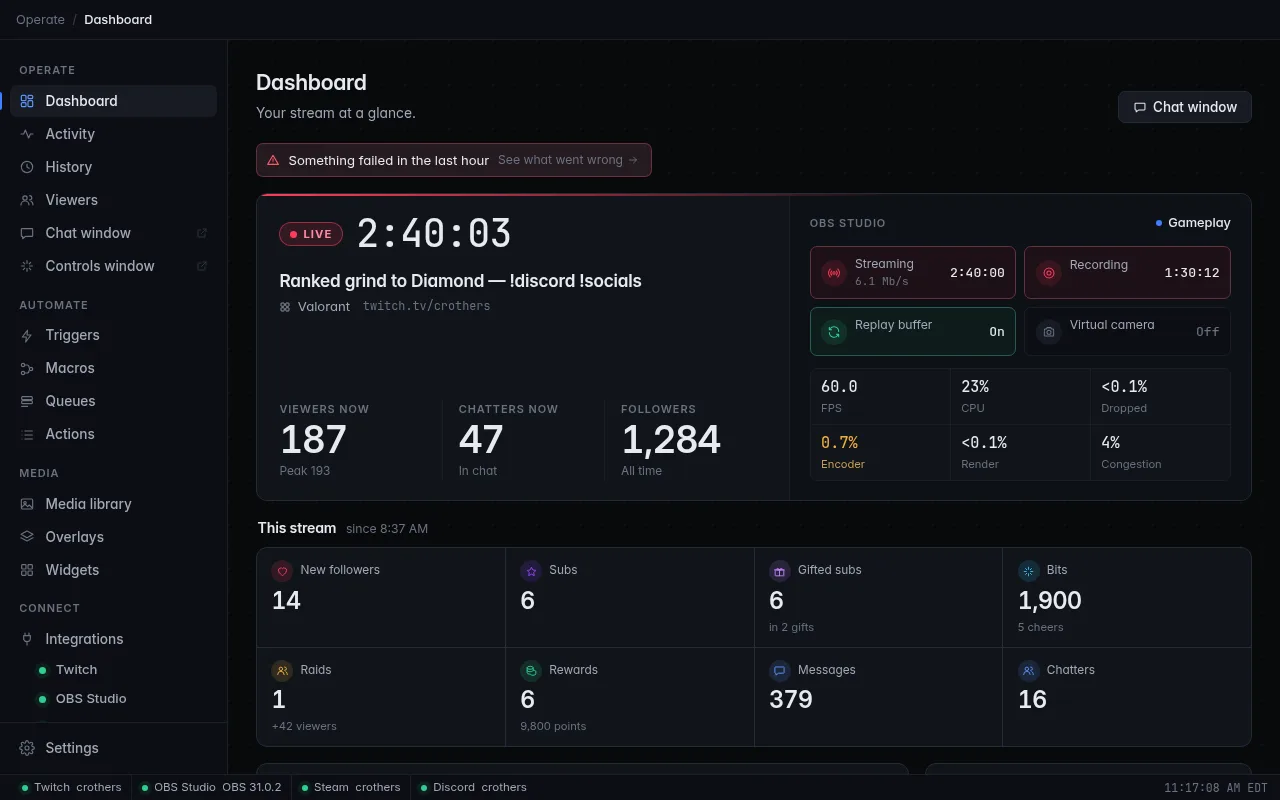
Dashboard
Your stream at a glance, and one-click controls.
-
Activity and History
What happened, what ran, and what failed and why.
-
Viewers
Watch time, history and a points balance for every viewer.
-
Login warnings
Why Twitch logins expire, and the warnings before they do.
Automating
-
Triggers
When something happens on your channel, run a macro.
-
Macros and actions
Steps that switch scenes, post in chat, play sounds and more.
-
Queues and hotkeys
Pace reactions one at a time, and run macros from your keyboard.
-
Webhooks
Let other apps start your macros, and send what happens to anything with a web address.
On stream
-
Overlays and alerts
Scenes of alerts, text and widgets for OBS browser sources.
-
Media library
Your images, sounds, videos and fonts in one place.
-
Screen flash
Flash your whole screen from a macro.
Integrations and reference
-
Integrations
Twitch, OBS, Steam and Discord: what each can trigger and do.
-
Reference
Events, variables, files, backups, upgrading and troubleshooting.
-
Development (optional)
Custom CSS, your own widgets, browser mode and the settings file. You can skip all of it.