 Features
Everything your stream needs,
in one app.
Features
Everything your stream needs,
in one app.
Chat and channel points pull the levers, CroStream drives OBS and Twitch, and your overlays, viewers and history live together on your own computer.
01 · Automation
When this happens, do that.
Triggers decide when, macros decide what. Build both from lists in the app, then let them run while you play.
- Triggers for everythingChat commands, channel points, follows, bits, raids and hotkeys.
- Test with one clickRun any trigger with a sample event before chat sees it.
- Pauses and choicesDelays, If and Switch, and the viewer's name in any message.
- QueuesA flood of redemptions plays one at a time, at your pace.
- Webhooks, in and outLet Ko-fi, a Stream Deck or Home Assistant start macros, and send a macro's news to anything with a URL.
- Global hotkeysWindows, macOS and most Linux desktops.
- Fair redemptionsPoints go back to the viewer when a reaction fails.
02 · OBS and Twitch
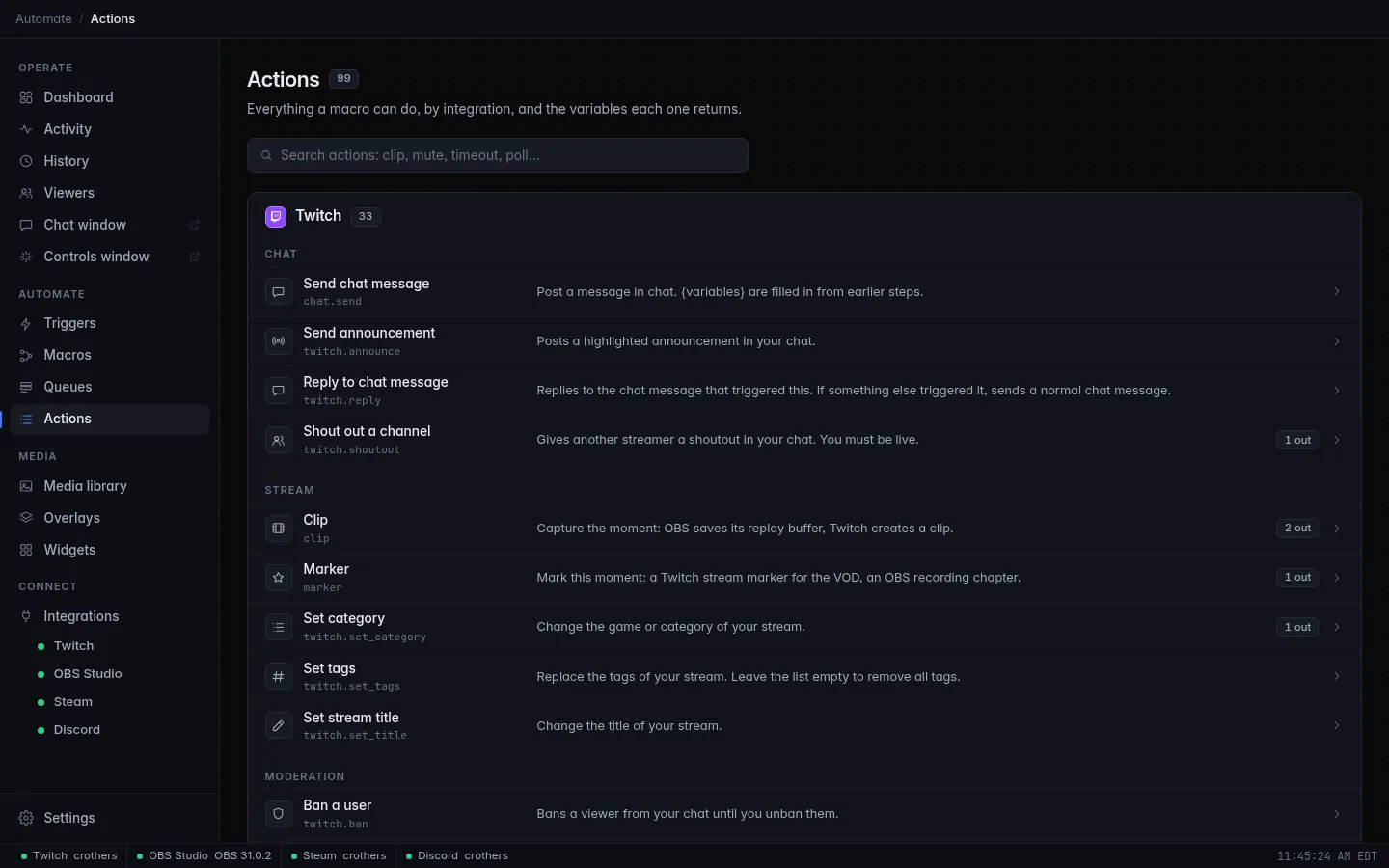
Nearly a hundred actions, both sides.
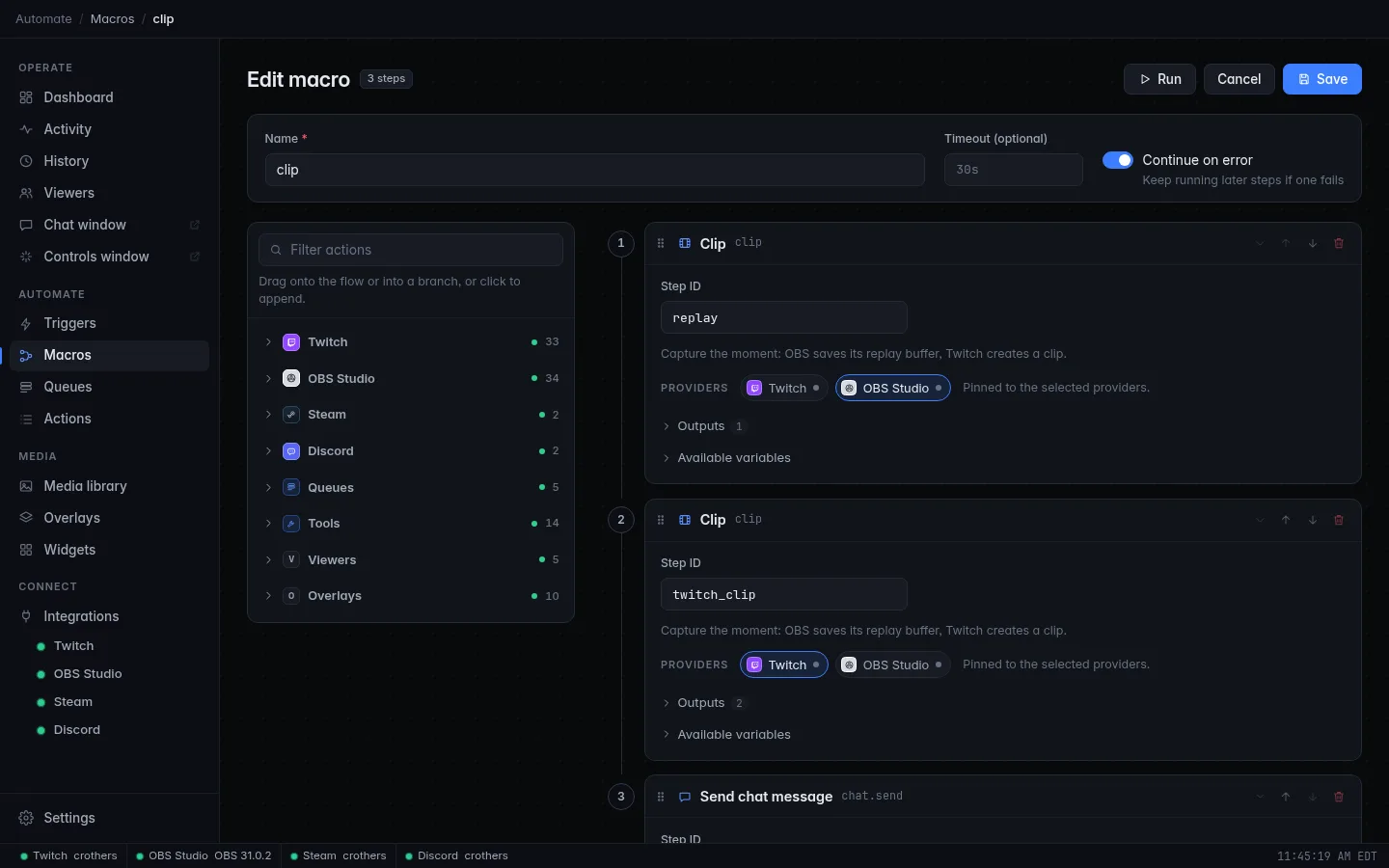
Any macro can reach into OBS and Twitch, and every step can pass what it learned to the next one.
- TwitchAnnouncements, shoutouts, timeouts and bans, chat modes, title and category, ads, raids, polls, predictions and rewards.
- OBSScenes and transitions, sources, filters, audio, text and media, streaming and recording, replays and screenshots.
- Clip both at onceOne Clip step saves the OBS replay and creates a Twitch clip.
- Handy toolsRandom picks, counters that survive restarts, Discord messages and sounds.
03 · Overlays and alerts
Scenes that react to your chat.
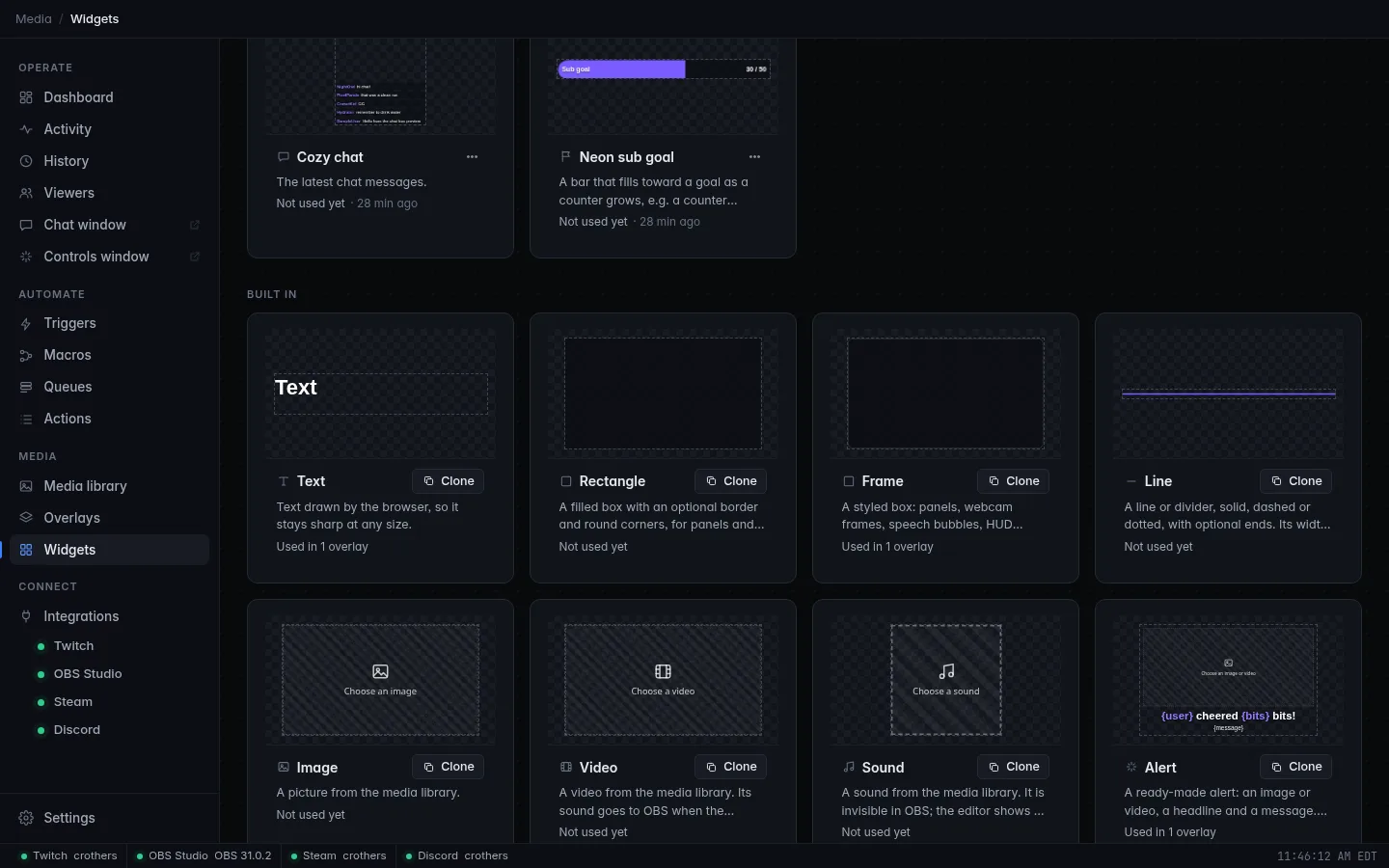
Build layered overlays that OBS shows as browser sources, and drive them from your macros.
- Any size16:9 or 9:16, 720p to 4K, with templates, themes, text effects and frames.
- Live elementsTimers, leaderboards, tickers, credits, a prize wheel, particles, hype train and polls.
- AlertsShow the viewer's name and more from each follow, sub or raid.
- One-click OBS setupAdd to OBS creates the source; edits show up live.
- 27 built-in widgetsCopy one and make it look like your channel.
- Chat on screenChat and chat emotes as overlay elements.
04 · And the rest
The parts you'll be glad are there.
Media library
- Images, sounds, videos and fonts, up to 4 GB a file
- Folders, colored tags, search and previews
- A trash with undo that empties itself after 30 days
- Overlays, widgets and alerts all pick from it
Viewers and points
- Watch time, chats, bits, subs, gifts and your own notes
- A points balance your macros give, take and look up
- Import points from StreamElements, Streamlabs or a spreadsheet
- Known bots stay off leaderboards
History and activity
- Every follow, sub, cheer, raid and redemption, with top supporters
- A searchable chat log
- A live feed of what each macro did
- Kept 90 days by default; change it, turn it off or clear it
Your data stays yours
- Settings, viewers, history and media are files on your computer
- Passwords and your Twitch login are kept separately
- An automatic backup before every change
- Share macros with friends, passwords left out