Login warnings
If your Twitch login runs out, CroStream stops hearing your chat: no chat commands, no channel point redemptions, no alerts. That's the last thing you want to discover mid-stream. So CroStream counts down to the expiry and warns you, getting louder as the date gets closer, until you log in again. Logging in again takes one click and doesn't interrupt anything.
Why logins expire
CroStream logs in to Twitch straight from your computer, with no CroStream server in the middle holding your login for you. The kind of Twitch login that works this way can't be renewed in the background: Twitch gives it an expiry date, and after that it stops working. Twitch decides how long it lasts. The Twitch page under Connect shows the date: Session expires date and time.
So every so often you log in again. CroStream makes sure that's never a surprise.
A login can also end early: if you change your Twitch password, or remove CroStream from the Connections in your Twitch settings, Twitch cancels the login at once. CroStream then shows the "logged out" warning described below.
The timeline
For Twitch:
| When | What you see |
|---|---|
| More than 14 days left | Nothing. |
| 14 to 7 days left | An amber banner across the top of the window, counting down. You can hide it until midnight. |
| 7 days left or less | A pop-up you have to click through, each day and each time CroStream starts. After you click through, a red banner stays until midnight. |
| Expired, or Twitch logged you out | A red pop-up: your Twitch features have stopped. After you click through, a red banner stays. |
Every warning disappears the moment you log in again.
The banner
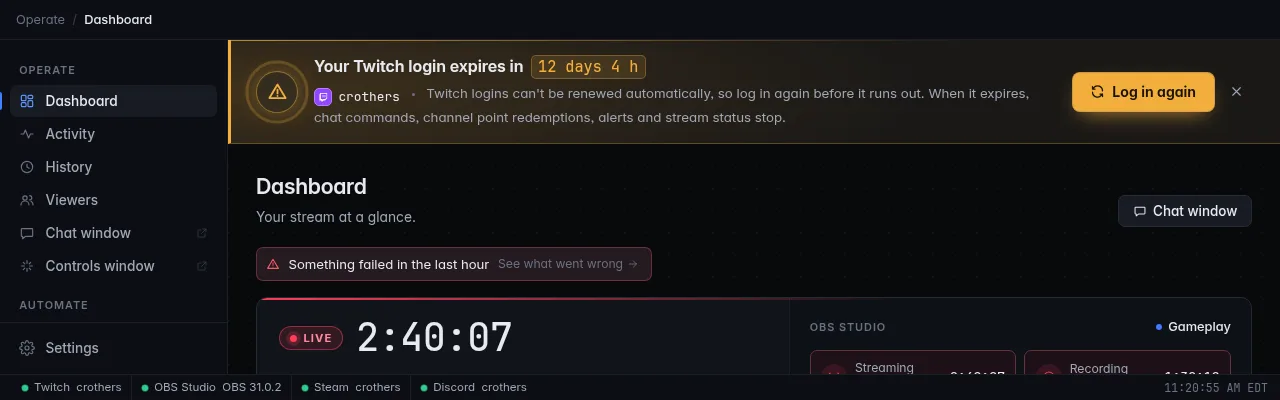
The banner sits under the breadcrumb bar on every page. It shows:
- the headline with a live countdown, for example Your Twitch login expires in 12 days 4 h;
- your account, why you're seeing this and what stops when the login expires: chat commands, channel point redemptions, alerts and stream status;
- a Log in again button (Log in now once it has expired).
It's amber while more than 7 days are left and red after that. An amber banner has an × (Hide until midnight): it's an early heads-up, so you can put it away for the day. It comes back the next day until you log in again. Red banners can't be hidden.
A red banner marked Reminder returns at midnight is a pop-up you've already clicked through today.
The pop-up
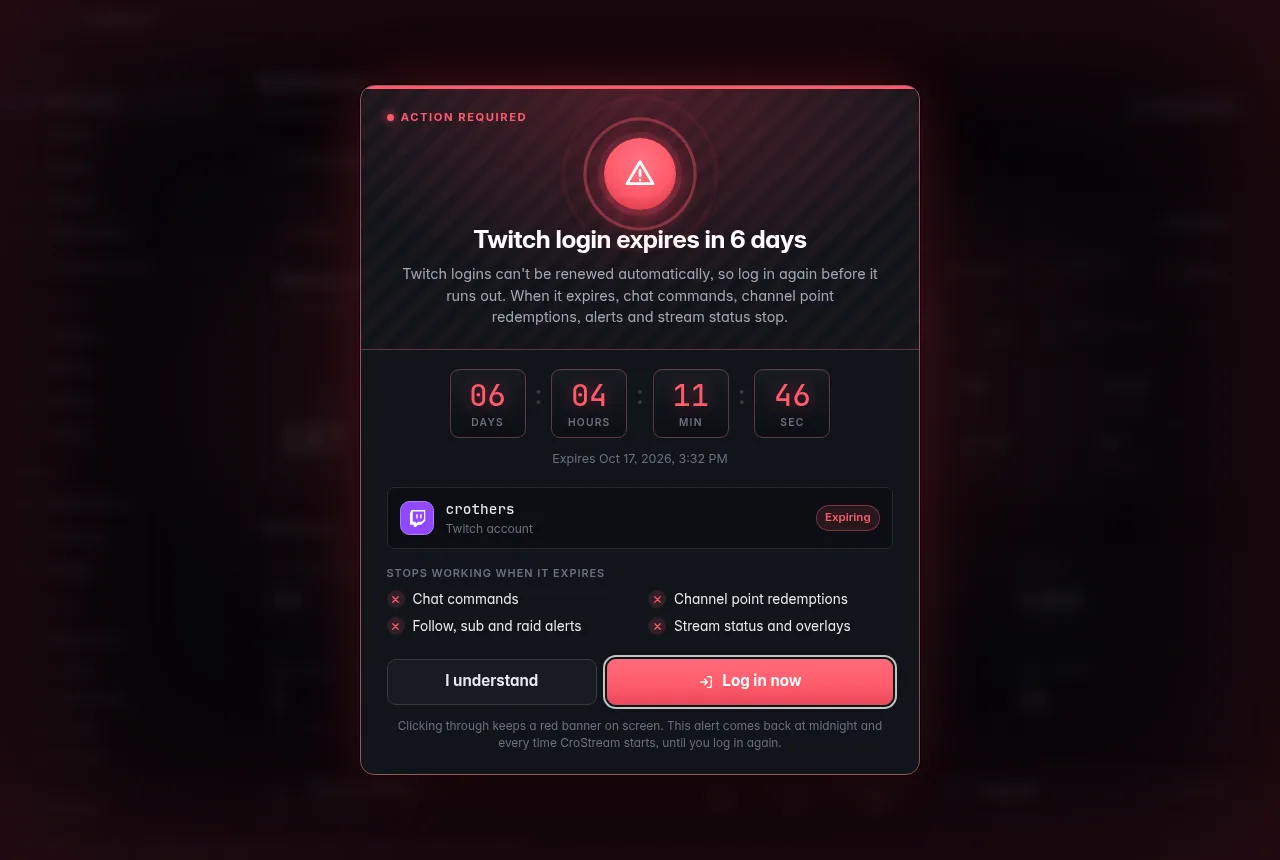
From 7 days before the expiry, a pop-up covers the window. It's meant to be impossible to miss:
- it plays a short two-note chime,
- it brings CroStream's window to the front,
- the window title flashes ⚠ Action needed until you deal with it,
- it can't be closed with Esc, a click outside it or an ×.
It shows Action required, the headline (Twitch login expires in 6 days), a ticking countdown in days, hours, minutes and seconds, the exact expiry date, your account, and a list of what stops working when it expires: Chat commands, Channel point redemptions, Follow, sub and raid alerts, Stream status and overlays.
Two buttons:
- Log in now starts the login straight away. This is the one to press.
- I understand closes the pop-up for now. A red banner stays on screen, and the pop-up comes back at midnight and every time CroStream starts, until you log in again.
If more than one connection needs attention, the pop-up shows 1 of 2 and the next one follows when you've dealt with the first.
When the login has expired
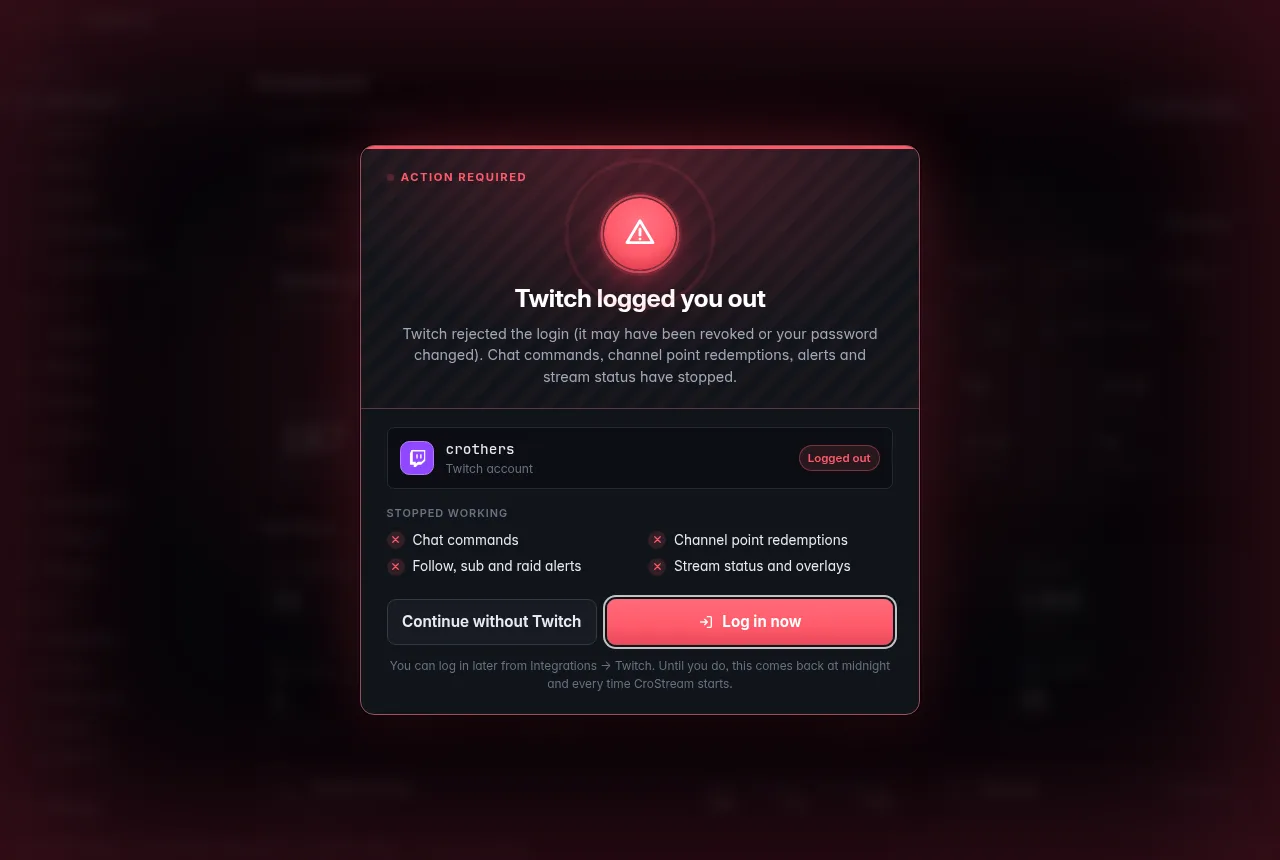
Once the login has run out, or Twitch has logged you out, the pop-up says Twitch login expired or Twitch logged you out, with the reason, for example Twitch rejected the login (it may have been revoked or your password changed). Its list reads Stopped working, and the second button is Continue without Twitch: use it if you want to keep using CroStream without Twitch for now. You can log in later from Connect → Twitch. Until you do, the warning comes back at midnight and each time CroStream starts.
Logging in from a warning
- Click Log in again on the banner, or Log in now on the pop-up.
- Your browser opens Twitch's page. Approve it, as when you first logged in.
- While CroStream waits, the warning shows Waiting for you to finish logging in in your browser… with Open login page (if the browser didn't open, or you closed the tab) and Cancel.
- Once you've approved, every warning for that login disappears.
Your current login keeps working the whole time, so it's safe to do even while you're live.
Elsewhere
You also see the warning:
-
In the Chat and Controls windows: a thin line under the header, for example Twitch login expires in 6d 4h, with a Log in button.
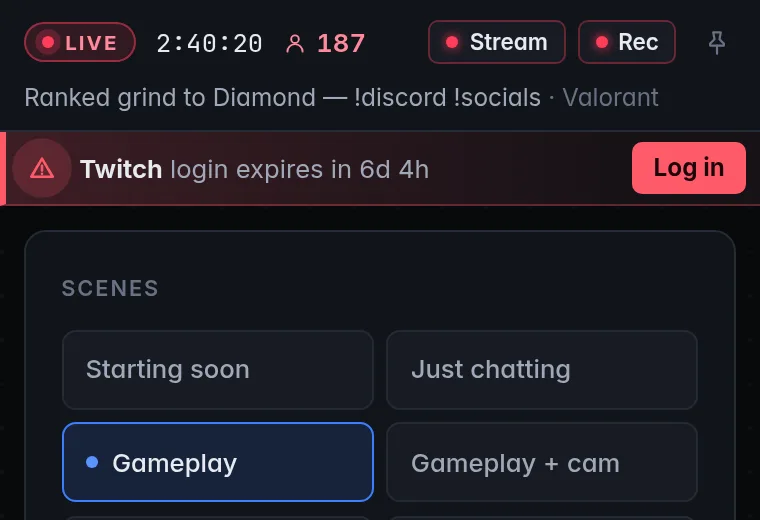
-
In the tray: the icon's tooltip and the first line of its menu show it, starting with ⚠, ahead of your stream status. See Desktop behaviour.
- As a system notification: once when a warning first appears and again each time it gets more urgent (banner, then pop-up, then expired). Clicking it opens the Twitch page. Turn it off with Login warnings in Settings → Desktop app; the warnings inside CroStream always show.
- In Activity: a line each time a warning appears or gets more urgent.
Other connections
Twitch is the connection that needs this most, but the same warnings cover any connection with a login that can run out. Some logins, like Discord's, renew by themselves; CroStream only warns about those when a renewal fails, with a banner reading CroStream couldn't renew your Discord login and a pop-up from one day before the expiry. The buttons and the timing rules are the same.
Troubleshooting
| Problem | What to do |
|---|---|
| The warning came back after I clicked I understand | That's by design: it returns at midnight and each time CroStream starts until you log in again. Log in to make it go away for good. |
| I logged in but the warning is still there | Check the Twitch page under Connect: the login has to finish (approve the Twitch page in your browser). If you logged in as a different Twitch account, log in again as your streaming account. |
| The banner has no × | Only the early amber banner can be hidden. From 7 days left, the warning stays until you log in. |
| I never got a system notification | Check Login warnings in Settings → Desktop app, and your system's notification settings. See Desktop behaviour. |
| No chime | Your computer's sound may be muted for CroStream; the pop-up works without it. |